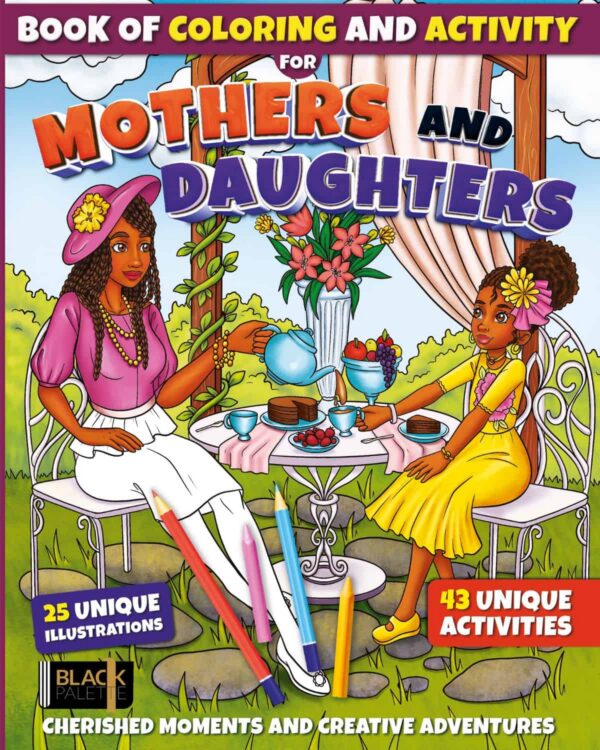
Every digital product comes as one PDF file. Nothing ships. Here’s how to get it, open it and print it.
Where to find your files
When you check out, you create an account with your email address and a password. Your files live in that account, and you can find them in three places:
- Right after you pay: the thank-you page shows a Downloads table. Click the file’s name to download it.
- Your order email: it comes from Black Palette Books ([email protected]) with the subject “Your Black Palette Books order” and your order number. Click the file’s name. The site will ask you to sign in first.
- Any time, from your account: go to blackpalettebooks.com, sign in, and click My Account, then Downloads.
Your links never expire, and you can download your files as many times as you like. New phone? Lost the file? Sign in and download it again.
Signing in: use the email address and the password you chose at checkout. Forgot your password? On the sign-in page, click Lost your password? and we’ll email you a link to reset it.
Downloading on a computer
- Click the file’s name in the Downloads table or your order email. Sign in if the site asks.
- The file saves to your Downloads folder.
- Double-click the file to open it.
Can’t find it? Open your Downloads folder: in File Explorer on Windows, or in Finder on a Mac.
Downloading on iPhone or iPad
- Open the link in Safari. Sign in if the site asks.
- Tap the file’s name.
- If the page opens on your screen, tap the Share button (the square with an arrow pointing up).
- Tap Save to Files, then Save.
- To find it later, open the Files app and look in Downloads or Recents.
Tip: If you tapped the link inside your email app, open it in Safari instead. Email apps sometimes can’t save files or keep you signed in.
Downloading on Android
- Tap the file’s name. Sign in if the site asks.
- When the download finishes, tap Open in the message at the bottom of the screen.
- To find it later, open the Files app (or My Files on Samsung) and tap Downloads.
Opening the PDF
Any free PDF reader works.
- Windows: opens in Microsoft Edge, or download the free Adobe Acrobat Reader.
- Mac: opens in Preview.
- iPhone, iPad and Android: opens in the Files app, or in any PDF app you already have.
- Coloring on iPad? Procreate imports PDFs. In Procreate, tap Import and choose the file.
Printing
- Paper size: US Letter, 8.5 x 11 in (216 x 279 mm).
- Printing on A4? In the print window, choose Fit to page, Scale to fit or Fit to printable area (the name depends on your printer and browser). The page prints about 3% smaller and nothing gets cut off.
- Quality: Choose your printer’s highest quality setting. Look for Best or High in the print settings.
- Paper: Regular printer paper is fine for crayons and colored pencils. For markers, use cardstock (65 lb or heavier) so ink doesn’t bleed through.
Printing from a phone or tablet? Open the PDF, tap Share (iPhone or iPad) or the three dots menu (Android), then tap Print. If anything looks cut off, print from a computer and choose “Fit to page.”
Standard lines and light lines (adult titles)
Adult titles include each design twice in the same file:
- Standard lines: bold black outlines that stay visible after you color. Best for markers, gel pens, dark colors and anyone who likes crisp edges.
- Light lines: soft gray outlines that fade into your coloring. Best for colored pencils, blending and a painted look.
Not sure? Print one of each and try both. Print light lines on your highest quality setting so they don’t come out too faint.
Kids and family titles come with standard lines only.
Having trouble?
The email didn’t arrive.
- Wait 10 minutes.
- Check your spam, junk and Promotions folders.
- Search your inbox for “Black Palette Books.”
- You don’t need the email to get your files. Sign in at blackpalettebooks.com and go to My Account > Downloads.
My link expired.
Your links never expire. If a link stops working, sign in at blackpalettebooks.com and download the file from My Account > Downloads.
I reached the download limit.
There’s no download limit. Download your files as many times as you need from My Account > Downloads.
It keeps asking me to sign in.
That’s normal. Your files are protected by your account. Sign in with the email address and password you chose at checkout. Forgot your password? Click Lost your password? on the sign-in page.
The file won’t open.
- Make sure the download finished. A partly downloaded file won’t open.
- Open it with a free PDF reader (see section 5, Opening the PDF), not a photo app.
- On a phone, save it to Files first, then open it from there. See section 3 (iPhone or iPad) or section 4 (Android).
Still stuck? Email us (see below).
Personal use
Your purchase lets you print as many copies as you like for coloring by you and the people you live with. You can keep, frame or give away a page you’ve colored. Please don’t share, forward, sell or upload the file. Read the full Licensing Terms.
Contact us
Email [email protected] from the address you used at checkout. Include your order number and the device you’re using (for example, “iPhone” or “Windows laptop”) so we can help you faster.